
Use Paddle UI to quickly add checkout, pricing pages, and subscription management screens to your app or website. It makes building billing and subscription flows faster and easier by giving you prebuilt solutions for common scenarios.
How it works
Paddle UI is a library of ready-to-use React components built on top of shadcn/ui, designed to to be dropped into your project and customized to fit your needs.
They make it quicker to build billing and subscription flows by giving you:
- Extensible components that can be customized to fit your needs.
- Composable components that can be combined to create complex flows.
- Helpers for common tasks, like formatting prices and dates.
- Scaffolding for hard problems, like handling subscription state changes.
- A Paddle.js client instance, event dispatcher, and SDK hooks.
They're perfect for building with an AI agent, as they give LLMs a head start on building the right UI for your product.
Setup
Register the Paddle namespace with the shadcn CLI:
pnpm dlx shadcn@latest registry add @paddleyarn dlx shadcn@latest registry add @paddlenpx shadcn@latest registry add @paddleYou only need to do this once per project. Once registered, install any component with the shadcn CLI.
Components
What good looks like
Shadcn UI components are designed to be customizable, so you can make them look and feel like your app. However, if you're building a checkout experience, you must make sure it's compliant.
A compliant checkout lets customers know who they're buying from, what they're buying, and how much they're paying. If you're remixing components, your implementation must include:
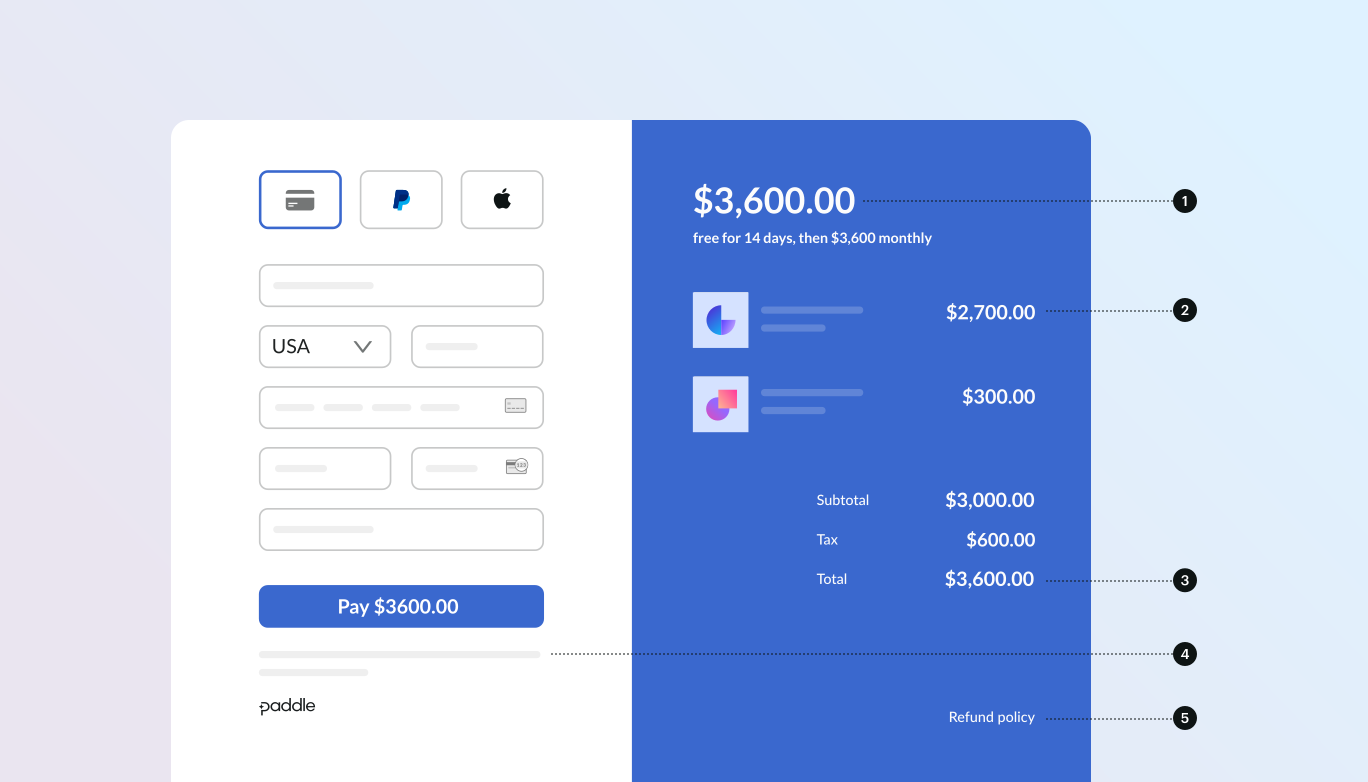
- If recurring, how often it recurs and the total to pay on renewal. If a trial, how long the trial lasts.
- A description of what's being purchased.
- Transaction totals, including subtotal, total tax, and grand total. Be sure to include the currency too.
- The full inline checkout frame, including the checkout footer that has information about Paddle, our terms of sale, and our privacy policy.
- A link to your refund policy, if it differs from the Paddle.com standard refund policy.