The Paddle API is a RESTful JSON API that lets you create, read, and update data in your Paddle Billing system. Use it to integrate Paddle with your app, build custom flows for subscriptions and transactions, or automate tasks.
This quickstart walks you through authenticating and making your first request. It takes about five minutes.
This guide is about making requests to the Paddle API from your backend. Don't call the Paddle API directly in your frontend. Use Paddle.js with client-side tokens instead.
Before you begin
You need a Paddle account. You can sign up for free:
- Sandbox account — for testing. No real money is involved.
- Live account — for production use. Requires approval before you can process real transactions.
We recommend starting with a sandbox account.
Use Postman
The fastest way to get started is to fork our Postman collection. Postman walks you through authentication and making your first request.
Fork our Postman collection to get started with the API
Get an API key
Treat your API key like a password. Keep it safe and never share it with apps or people you don't trust.
An API key is a secure credential that authenticates requests to the Paddle API. You create one in the Paddle dashboard.
- Go to Paddle > My account > Settings > Authentication.
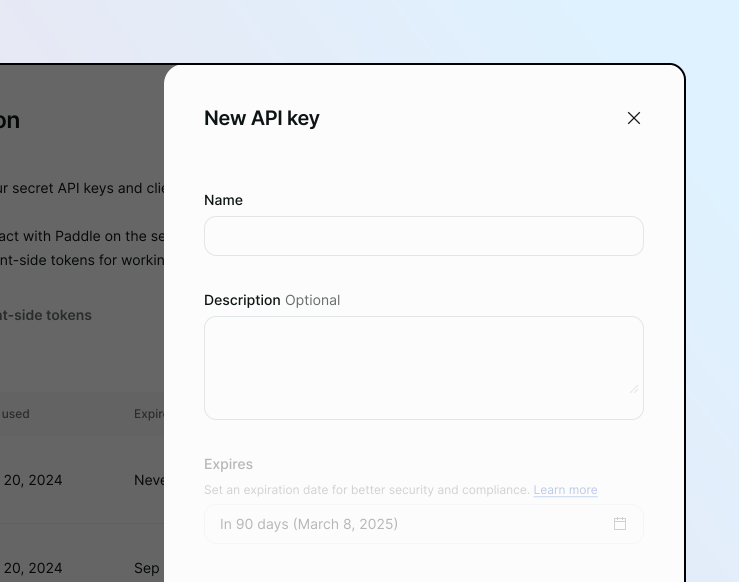
- Click the API keys tab, then click New API key.
- Enter a name and description, set an expiry date, and assign permissions. For this quickstart, we recommend selecting all.
- Click Save, then copy the key. You can only view it once, so store it securely.
Your API key should be 69 characters long, start with pdl_, and contain apikey_ and either sdbx_ or live_. For example:
pdl_sdbx_apikey_01gtgztp8f4kek3yd4g1wrksa3_q6TGTJyvoIz7LDtXT65bX7_AQOChoose a base URL
Paddle has separate sandbox and live environments. Each has its own base URL and its own set of API keys.
| Environment | Base URL |
|---|---|
| Sandbox | https://sandbox-api.paddle.com |
| Live | https://api.paddle.com |
Sandbox keys only work for requests to the sandbox URL, and live keys only work for requests to the live URL.
Make your first request
The quickest way to verify your setup is to send a request to the /event-types endpoint. It returns data even if you have no entities in Paddle and doesn't require any permissions.
Pass your API key using the Authorization header with the Bearer prefix:
curl https://sandbox-api.paddle.com/event-types \ -H "Authorization: Bearer pdl_sdbx_apikey_01gtgztp8f4kek3yd4g1wrksa3_q6TGTJyvoIz7LDtXT65bX7_AQO"curl https://api.paddle.com/event-types \ -H "Authorization: Bearer pdl_live_apikey_01gtgztp8f4kek3yd4g1wrksa3_q6TGTJyvoIz7LDtXT65bX7_AQO"Understand the response
If the request succeeds, Paddle returns a 200 response with a data array and a meta object:
{ "data": [ { "name": "transaction.created", "description": "Occurs when a transaction is created.", "group": "Transaction", "available_versions": [1] } ], "meta": { "request_id": "e4aa2cb3-74c7-4e13-9490-1a54fbb7a5c6" }}If something goes wrong, Paddle returns an error object with an appropriate HTTP status code and a request_id you can share with support.
{ "error": { "type": "request_error", "code": "invalid_token", "detail": "Authentication token is invalid.", "documentation_url": "https://developer.paddle.com/errors/shared/invalid_token" }, "meta": { "request_id": "e4aa2cb3-74c7-4e13-9490-1a54fbb7a5c6" }}Create an entity Optional
Requests to the Paddle API should be in JSON format. When making requests, specify application/json as your Content-Type.
You can create a customer by sending a POST request to the /customers endpoint. Your request should be an object that includes name and email.
curl -X POST https://sandbox-api.paddle.com/customers \ -H "Authorization: Bearer pdl_sdbx_apikey_01gtgztp8f4kek3yd4g1wrksa3_q6TGTJyvoIz7LDtXT65bX7_AQO" \ -H "Content-Type: application/json" \ -d '{ "name": "Sam Miller", "email": "sam@example.com" }'curl -X POST https://api.paddle.com/customers \ -H "Authorization: Bearer pdl_live_apikey_01gtgztp8f4kek3yd4g1wrksa3_q6TGTJyvoIz7LDtXT65bX7_AQO" \ -H "Content-Type: application/json" \ -d '{ "name": "Sam Miller", "email": "sam@example.com" }'Understand the response
If the request succeeds, Paddle returns a 201 response with data and meta objects:
{ "data": { "id": "ctm_01hv6y1jedq4p1n0yqn5ba3ky4", "status": "active", "custom_data": null, "name": "Sam Miller", "email": "sam@example.com", "marketing_consent": false, "locale": "en", "created_at": "2026-04-11T15:57:24.813Z", "updated_at": "2026-04-11T15:57:24.813Z", "import_meta": null }, "meta": { "request_id": "9bcdcc29-e180-4055-ad3d-d37e5dc5e56d" }}Paddle automatically creates a Paddle ID for new entities, as well as returning fields like created_at and updated_at.
If something is wrong with your request, Paddle returns an error object like before. Validation errors include an additional errors array with details about how to fix.
{ "error": { "type": "request_error", "code": "invalid_field", "detail": "Request does not pass validation.", "documentation_url": "https://developer.paddle.com/errors/shared/invalid_field", "errors": [ { "field": "name", "message": "cannot exceed 1024 characters" } ] }, "meta": { "request_id": "9bcdcc29-e180-4055-ad3d-d37e5dc5e56d" }}Pin an API version
When we make breaking changes, we release a new version of the API. Pin the version you're building against using the Paddle-Version header so future releases don't break your integration:
curl https://sandbox-api.paddle.com/event-types \ -H "Authorization: Bearer pdl_sdbx_apikey_01gtgztp8f4kek3yd4g1wrksa3_q6TGTJyvoIz7LDtXT65bX7_AQO" \ -H "Paddle-Version: 1"The current version of the Paddle API is version 1. See Versioning for more.
Next steps
You're ready to start building. These reference pages cover the conventions you'll run into across the API:
Everything you need to know about authenticating requests using Bearer authentication.
Every entity has a unique Paddle ID that tells you what kind of entity you're working with.
Paddle uses JSON for requests and responses. See the data types used across the API.
List endpoints use cursor based pagination to let you work with pages of results.
Most list endpoints support filtering, searching, and sorting using query parameters.
Use the include parameter to fetch related entities in a single request.
Learn how errors are structured and how to troubleshoot common issues.
See the rate limits that apply to the Paddle API and how to handle them.
Understand how API versioning works and how to opt in to new versions.