Add core subscription management, billing information, and payment history to your app with the customer portal — eliminating the need to build your own billing management screens from scratch.
The customer portal is included by default with Paddle. You don't need to do anything to turn it on or set it up.
Give customers a central place to take key account actions.
Customers can update payment details instantly.
Available in over 17 languages, across 200+ markets.
How it works
Businesses that offer digital products, especially SaaS businesses, need a way to handle billing queries. It's common for customers to want to see past payments, download invoices, and update payment details for subscriptions.
For compliance, you must offer a way for customers to cancel their subscriptions, too.
You can use the customer portal to give customers a central place to manage purchases made from your Paddle account. It's a secure, Paddle-hosted app that lets customers:
- See past payments and download invoices.
- Get information about their subscriptions, and manage them.
- Update their payment details.
The customer portal is fully hosted by Paddle, meaning you can integrate in minutes. You can link to the customer portal to add key billing workflows to your app, rather than building workflows from scratch yourself.
Emails sent by Paddle automatically include links to the customer portal for your Paddle account to let customers update their payment method and cancel their subscription.
Customer experience
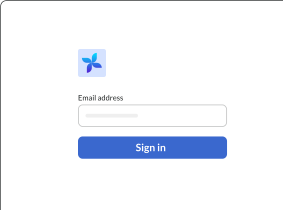
Log in with a magic link
Customers log in to your portal by entering their email address, then clicking on a secure link that Paddle sends to them.
You can generate authenticated links to the customer portal for a customer in your app so they don't have to log in again.
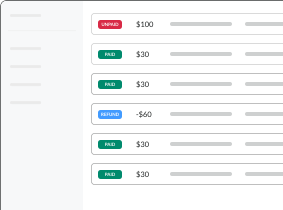
See payments and grab invoices
Customers can see a full itemized list of their previous transactions, called "payments" in the portal.
It's one click to download a PDF invoice for their records here, too.
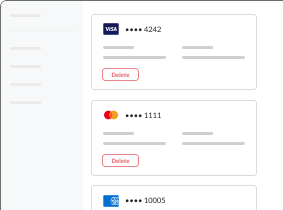
Update payment details
When customers have saved payment methods for one-time purchases or subscriptions, they can see and update their payment details — including expired payment methods.
Manage subscriptions
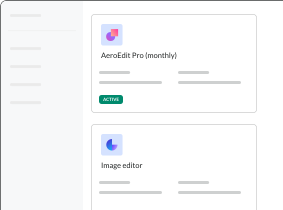
Customers can see and manage their subscriptions.
Canceled subscriptions are presented too, so customers have a full record of their purchase history with you.
Cancel subscriptions
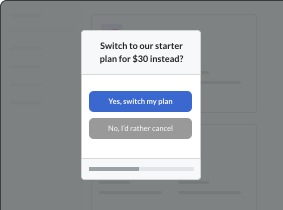
When customers cancel their subscription, portal launches a cancellation flow.
Cancellation Flows present customers with a simple survey that restates your value proposition and makes customers a dynamic offer to stay.